LG oven error codes
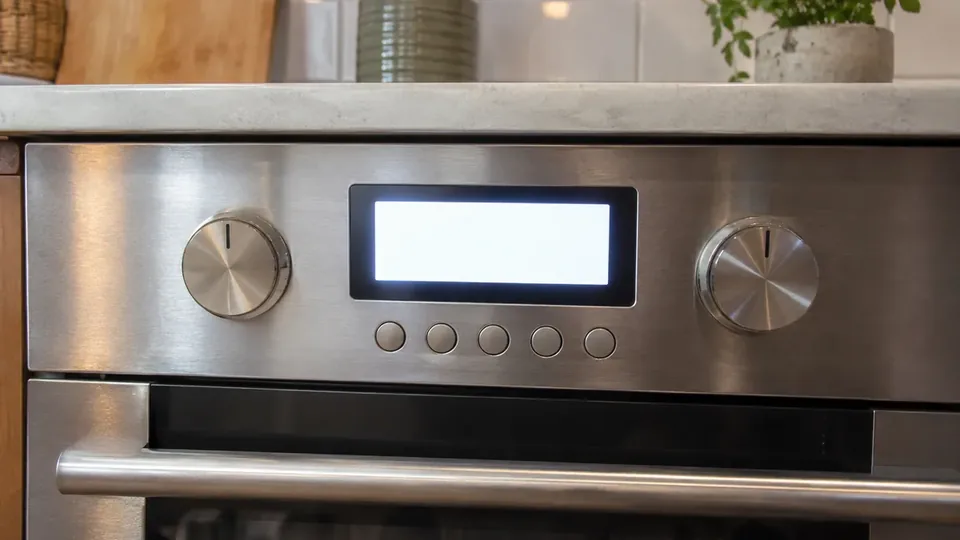
These are the LG oven codes we could verify on the manufacturer's own page. Each block says what the code means, the checks that page allows, and when it says to call a technician.
This appliance may burn gas. Shut the gas off before any inspection past the published checks.
F1
LG lists F1 as an upper oven thermistor error. The same range error page gives F2 the same upper oven thermistor meaning. Also listed as F2. Press the CLEAR/OFF key and try the original function again. If the error code reappears, turn the circuit breaker to the unit off and wait 30 seconds before turning it back on. If the problem continues or the troubleshooting steps cannot be performed, LG says the unit will require service. On a gas range, shut the gas off before any inspection past these steps. Full page for F1.
F3
Touch pad sensor key error. Turn the circuit breaker to the unit off and wait 30 seconds before turning it back on. If the problem continues or the troubleshooting steps cannot be performed, LG says the unit will require service. On a gas range, shut the gas off before any inspection past these steps. Full page for F3.
F4
LG lists F4 as a lower oven thermistor error. The same page gives F5 the same lower oven thermistor meaning. Also listed as F5. Press the CLEAR/OFF key and try the original function again. If the error code reappears, turn the circuit breaker to the unit off and wait 30 seconds before turning it back on. If the problem continues or the troubleshooting steps cannot be performed, LG says the unit will require service. On a gas range, shut the gas off before any inspection past these steps.
F6
Upper oven heating error. Press the CLEAR/OFF key and try the original function again. If the error code reappears, turn the circuit breaker to the unit off and wait 30 seconds before turning it back on. If the problem continues or the troubleshooting steps cannot be performed, LG says the unit will require service. On a gas range, shut the gas off before any inspection past these steps.
F7
Upper convection fan error. Press the CLEAR/OFF key and try the original function again. If the error code reappears, turn the circuit breaker to the unit off and wait 30 seconds before turning it back on. If the problem continues or the troubleshooting steps cannot be performed, LG says the unit will require service. On a gas range, shut the gas off before any inspection past these steps.
F8
Oven meat probe error. Press the CLEAR/OFF key and try the original function again. If the error code reappears, turn the circuit breaker to the unit off and wait 30 seconds before turning it back on. If the problem continues or the troubleshooting steps cannot be performed, LG says the unit will require service. On a gas range, shut the gas off before any inspection past these steps.
F9
The upper oven is not heating properly. Press the CLEAR/OFF key and try the original function again. If the error code reappears, turn the circuit breaker to the unit off and wait 30 seconds before turning it back on. If the problem continues or the troubleshooting steps cannot be performed, LG says the unit will require service. On a gas range, shut the gas off before any inspection past these steps.
F10
Door locking system failure on the upper oven. Press the CLEAR/OFF key and try the original function again. If the error code reappears, turn the circuit breaker to the unit off and wait 30 seconds before turning it back on. If the problem continues or the troubleshooting steps cannot be performed, LG says the unit will require service. On a gas range, shut the gas off before any inspection past these steps. Do not force a locked door open. Full page for F10.
F11
Communication error. Press the CLEAR/OFF key and try the original function again. If the error code reappears, turn the circuit breaker to the unit off and wait 30 seconds before turning it back on. If the problem continues or the troubleshooting steps cannot be performed, LG says the unit will require service. On a gas range, shut the gas off before any inspection past these steps.
F16
Oven sensor issue. Press the CLEAR/OFF key and try the original function again. If the error code reappears, turn the circuit breaker to the unit off and wait 30 seconds before turning it back on. If the problem continues or the troubleshooting steps cannot be performed, LG says the unit will require service. On a gas range, shut the gas off before any inspection past these steps.
F17
Convection fan error. Press the CLEAR/OFF key and try the original function again. If the error code reappears, turn the circuit breaker to the unit off and wait 30 seconds before turning it back on. If the problem continues or the troubleshooting steps cannot be performed, LG says the unit will require service. On a gas range, shut the gas off before any inspection past these steps.
F18
Oven meat probe error. Press the CLEAR/OFF key and try the original function again. If the error code reappears, turn the circuit breaker to the unit off and wait 30 seconds before turning it back on. If the problem continues or the troubleshooting steps cannot be performed, LG says the unit will require service. On a gas range, shut the gas off before any inspection past these steps.
F19
Oven heating error. Press the CLEAR/OFF key and try the original function again. If the error code reappears, turn the circuit breaker to the unit off and wait 30 seconds before turning it back on. If the problem continues or the troubleshooting steps cannot be performed, LG says the unit will require service. On a gas range, shut the gas off before any inspection past these steps.
F20
Door locking system failure on the lower oven. Press the CLEAR/OFF key and try the original function again. If the error code reappears, turn the circuit breaker to the unit off and wait 30 seconds before turning it back on. If the problem continues or the troubleshooting steps cannot be performed, LG says the unit will require service. On a gas range, shut the gas off before any inspection past these steps. Do not force a locked door open.
F21
LG's range error page gives the same steam sensor failure meaning for F21, F22, F24, and F25. Also listed as F22, F24, F25. Turn the circuit breaker to the unit off and wait 30 seconds before turning it back on. If the problem continues or the troubleshooting steps cannot be performed, LG says the unit will require service. On a gas range, shut the gas off before any inspection past these steps.
F27
Cooling fan stalled or locked during self clean. Turn the circuit breaker to the unit off and wait 30 seconds before turning it back on. If the problem continues or the troubleshooting steps cannot be performed, LG says the unit will require service. On a gas range, shut the gas off before any inspection past these steps.
F33
LG lists F33 as a front induction burner temperature sensor error. The same page gives F34 the same meaning. Also listed as F34. Turn the circuit breaker to the unit off and wait 30 seconds before turning it back on. If the problem continues or the troubleshooting steps cannot be performed, LG says the unit will require service. On a gas range, shut the gas off before any inspection past these steps.
F36
Transistor error. Turn the circuit breaker to the unit off and wait 30 seconds before turning it back on. If the problem continues or the troubleshooting steps cannot be performed, LG says the unit will require service. On a gas range, shut the gas off before any inspection past these steps.
F38
Communication error between the main board and the inverter. Turn the circuit breaker to the unit off and wait 30 seconds before turning it back on. If the problem continues or the troubleshooting steps cannot be performed, LG says the unit will require service. On a gas range, shut the gas off before any inspection past these steps.
F42
Voltage error. Turn the circuit breaker to the unit off and wait 30 seconds before turning it back on. If the problem continues or the troubleshooting steps cannot be performed, LG says the unit will require service. On a gas range, shut the gas off before any inspection past these steps. Do not rewire the range cord yourself if you are not a qualified electrician.
F45
LG lists F45 as a fan error. The same page gives F46 the same fan error meaning. Also listed as F46. Turn the circuit breaker to the unit off and wait 30 seconds before turning it back on. If the problem continues or the troubleshooting steps cannot be performed, LG says the unit will require service. On a gas range, shut the gas off before any inspection past these steps.
F51
Griddle sensor error. Turn the circuit breaker to the unit off and wait 30 seconds before turning it back on. If the problem continues or the troubleshooting steps cannot be performed, LG says the unit will require service. On a gas range, shut the gas off before any inspection past these steps.
F52
Griddle sensor short was detected. Turn the circuit breaker to the unit off and wait 30 seconds before turning it back on. If the problem continues or the troubleshooting steps cannot be performed, LG says the unit will require service. On a gas range, shut the gas off before any inspection past these steps.
F56
Griddle heating error. Turn the circuit breaker to the unit off and wait 30 seconds before turning it back on. If the problem continues or the troubleshooting steps cannot be performed, LG says the unit will require service. On a gas range, shut the gas off before any inspection past these steps.
F59
The griddle is not heating properly. Turn the circuit breaker to the unit off and wait 30 seconds before turning it back on. If the problem continues or the troubleshooting steps cannot be performed, LG says the unit will require service. On a gas range, shut the gas off before any inspection past these steps.
F62
Sous vide temperature sensor error. Turn the circuit breaker to the unit off and wait 30 seconds before turning it back on. If the problem continues or the troubleshooting steps cannot be performed, LG says the unit will require service. On a gas range, shut the gas off before any inspection past these steps.
F69
Sous vide is not heating properly. Turn the circuit breaker to the unit off and wait 30 seconds before turning it back on. If the problem continues or the troubleshooting steps cannot be performed, LG says the unit will require service. On a gas range, shut the gas off before any inspection past these steps.
PF
Power has been interrupted to the appliance. Press the CLEAR/OFF key and try the original function again. If the error code reappears, turn the circuit breaker to the unit off and wait 30 seconds before turning it back on. If the problem continues or the troubleshooting steps cannot be performed, LG says the unit will require service. On a gas range, shut the gas off before any inspection past these steps. Full page for PF.
H5
Not a fault. LG lists H5 for a cooktop surface hotter than 150 F (the page also writes HS). It is only an indication that the cooktop is too hot to touch. Also listed as HS. If the surface is already at room temperature and the indicator does not turn off, turn the circuit breaker to the unit off and wait 30 seconds before turning it back on. If the hot surface indicator stays on when the cooktop is cool, LG says the unit will require service. Full page for H5.
Sb
Not a fault. The unit is in Sabbath Mode. While active, the temperature cannot be changed and the timer, light, and alarm functions are disabled. If the oven light was on when Sabbath Mode started, it stays on. Also listed as 5b. Press Bake. Set the Bake temperature using the + and - keys. Press Start. Press and hold Clock for 3 seconds. No service call is indicated for Sabbath Mode by itself. If those steps do not clear it, contact LG support. Full page for Sb.
LOC
Not a fault. LG's range power page says OVEN LOCKOUT or CHILD LOCK means the control panel is locked. Also listed as Oven Lockout, Child Lock. Press and hold either START or the LOCK key for 3 seconds to deactivate the lockout feature. Also confirm Delay Start is not active. DELAY START on the display means the cycle is waiting and will not run immediately. No service call is indicated for lockout by itself. If START or LOCK for 3 seconds does not clear it, contact LG support. Full page for LOC.
Frequently asked questions
Where do these LG oven codes come from?
Each code on this page is taken from the LG support page linked in Sources. We do not add codes from repair blogs or from another brand.
Does F1 mean the same thing on every LG oven?
No. The manufacturer often says a code applies to some models only, or that the same letters mean something else on another model. Check the manual for your model number.
What should I do before I open a panel on a LG oven?
Unplug it or switch off the breaker. If it burns gas, shut the gas supply off before any step the manufacturer did not publish. If you smell gas, leave and call your gas utility.
Sources
Retrieved 19 Nov 2026. Which Error Code is not affiliated with LG. Names identify the appliance only.
All LG pages · All oven brands · Safety notes · Water filters